> ## Documentation Index
> Fetch the complete documentation index at: https://koreai-content-gov.mintlify.site/llms.txt
> Use this file to discover all available pages before exploring further.
# Custom LLM Model in GenAI
The Disposition Summary (end-of-conversation summary) in Agent AI is auto-generated using a GenAI model. By default, the **OOTB Kore Summarization** model is used. You can configure your own model by creating a **Custom LLM** and selecting it for conversation summaries.
***
## Create a Custom LLM
1. Sign in to **AI for Service**.
2. Go to **Agent AI** > **Generative AI Tools** from the left navigation.
3. Select **Models Library** > **New Model** > **Custom Integration**.
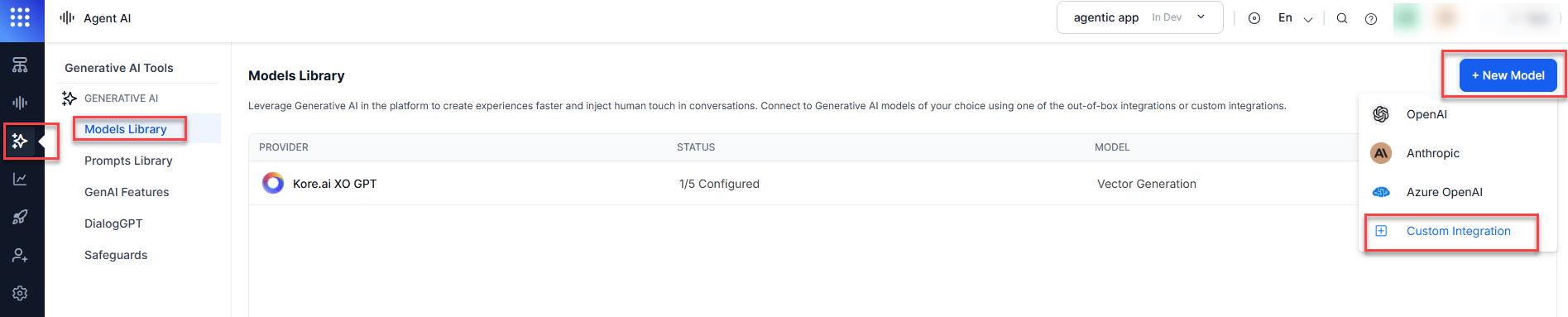 4. Select **Configurations** on the Custom Integration page.
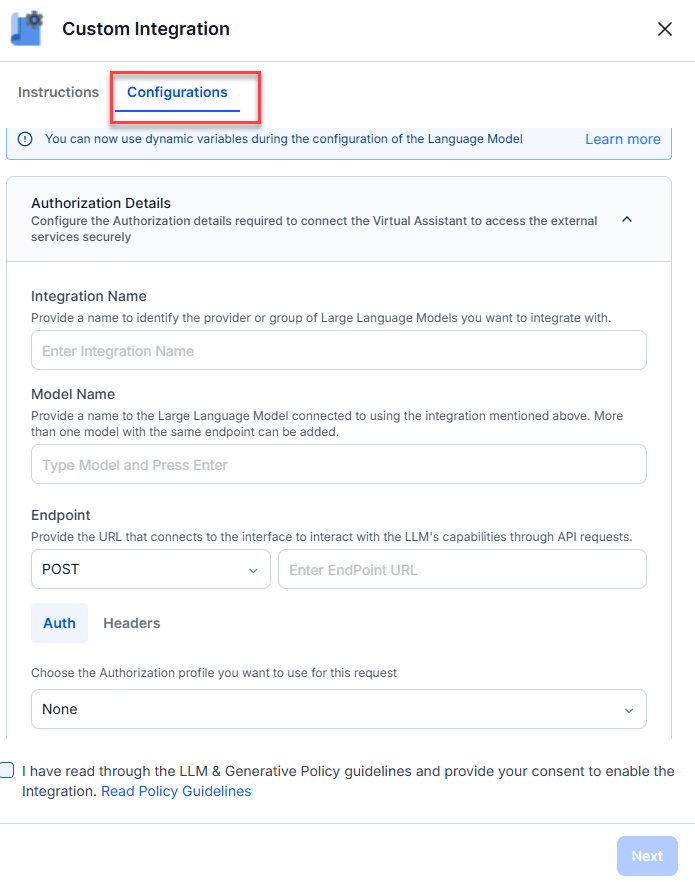 5. Enter the following details:
| Field | Description |
| -------------------- | ----------------------------------------------------------------------------- |
| **Integration Name** | A name identifying the provider or LLM Models group. |
| **Model Name** | The LLM name for this integration. Multiple models can use the same endpoint. |
| **Endpoint (POST)** | The URL to connect to the LLM via API requests. |
6. Select **Headers** and enter the key-value credentials:
* **Key**: For example, `api-key`.
* **Value**: For example, `3d4f1cOdxxxxxxxxxxxxxxx`.
7. Select the **LLM and Generative Policy guidelines** checkbox.
8. Select **Next**.
5. Enter the following details:
| Field | Description |
| -------------------- | ----------------------------------------------------------------------------- |
| **Integration Name** | A name identifying the provider or LLM Models group. |
| **Model Name** | The LLM name for this integration. Multiple models can use the same endpoint. |
| **Endpoint (POST)** | The URL to connect to the LLM via API requests. |
6. Select **Headers** and enter the key-value credentials:
* **Key**: For example, `api-key`.
* **Value**: For example, `3d4f1cOdxxxxxxxxxxxxxxx`.
7. Select the **LLM and Generative Policy guidelines** checkbox.
8. Select **Next**.
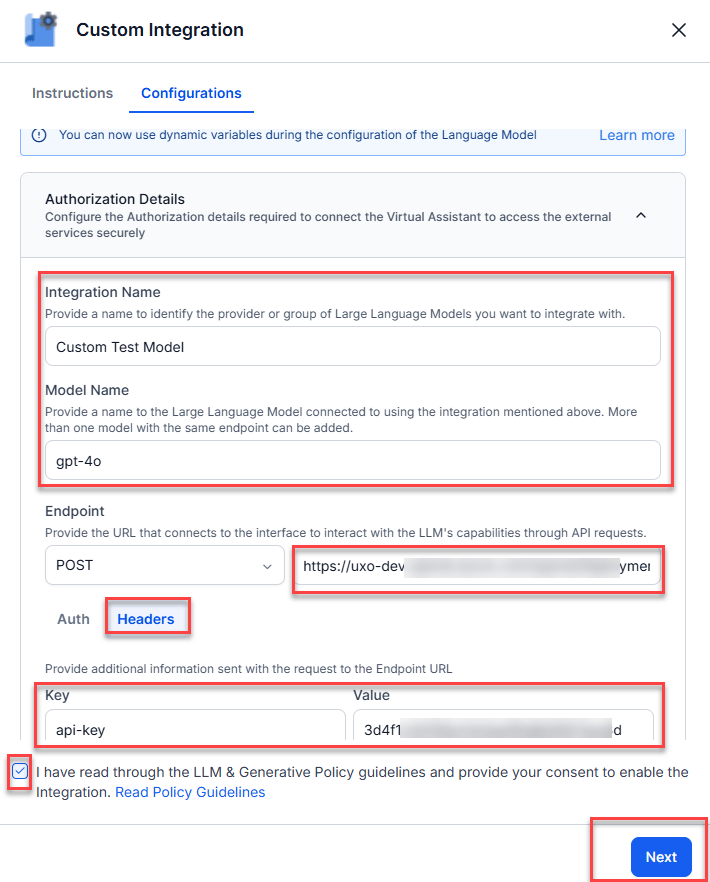 9. Enter a JSON request body (model, prompt, or other parameters) and select **Test**.
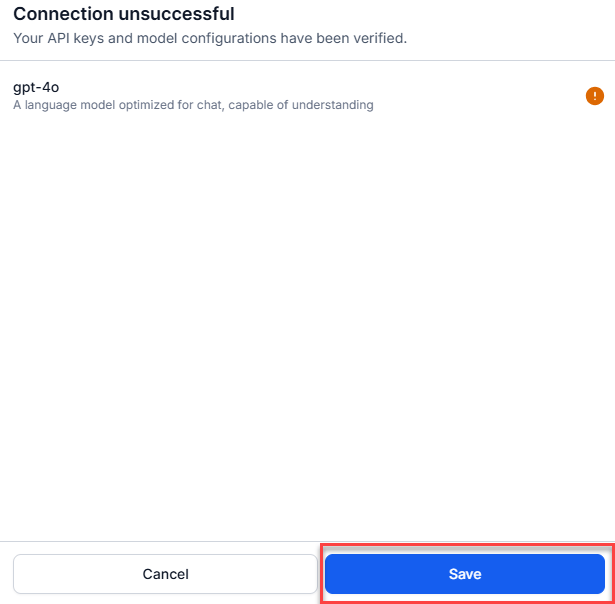
 10. Select **Save**.
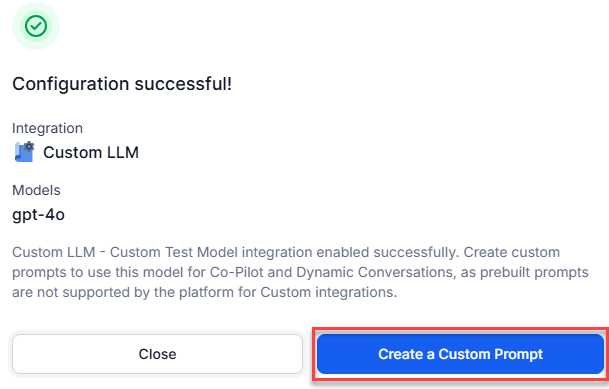
 11. Select **Create a Custom Prompt**.
 12. On the **Conversation Summary** page, fill in the following:
| Field | Description |
| ---------------- | ------------------------------------------------------------------------------ |
| **Name** | A name for the prompt. For example, *Summary Prompt*. |
| **Feature** | Select **Conversation Summary**. |
| **Choose Model** | Select the custom model you created. For example, *Custom test mode - gpt-4o*. |
| **JSON** | Enter your JSON content. |
12. On the **Conversation Summary** page, fill in the following:
| Field | Description |
| ---------------- | ------------------------------------------------------------------------------ |
| **Name** | A name for the prompt. For example, *Summary Prompt*. |
| **Feature** | Select **Conversation Summary**. |
| **Choose Model** | Select the custom model you created. For example, *Custom test mode - gpt-4o*. |
| **JSON** | Enter your JSON content. |
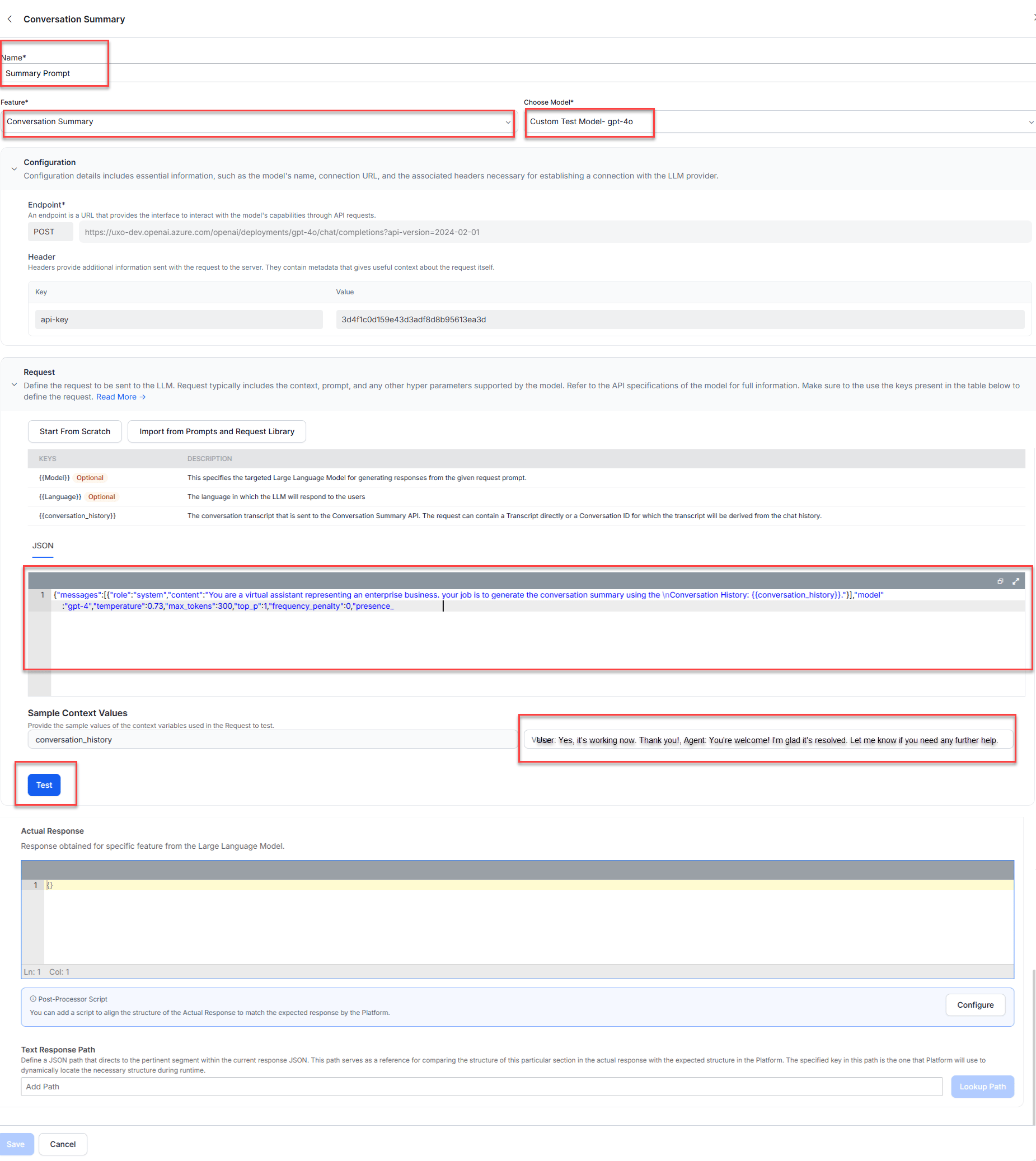 1. Select **Test**.
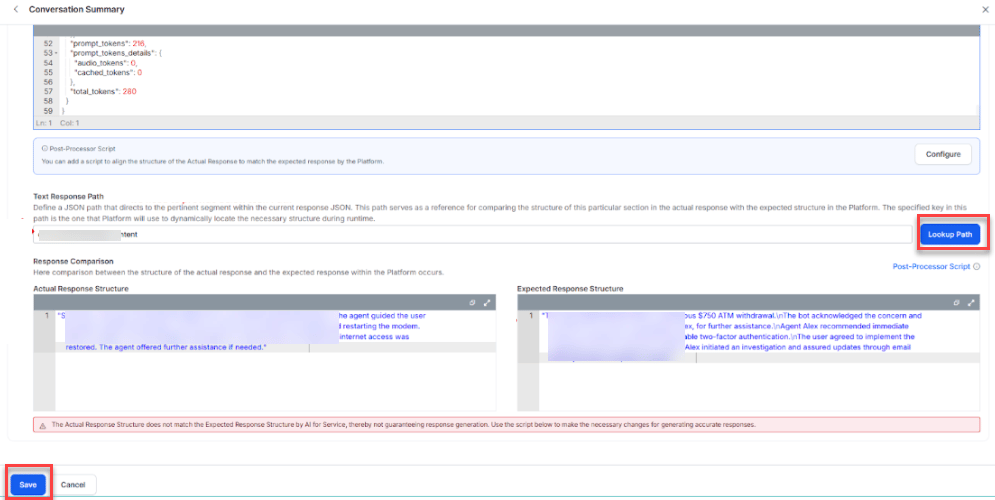
2. Enter the response path in **Text Response Path**. For example, `choices[0].message.content`.
3. Select **Lookup Path**. The summary is generated.
4. Select **Save**.
1. Select **Test**.
2. Enter the response path in **Text Response Path**. For example, `choices[0].message.content`.
3. Select **Lookup Path**. The summary is generated.
4. Select **Save**.
 ***
## Select the Custom Model
1. Sign in to **AI for Service**.
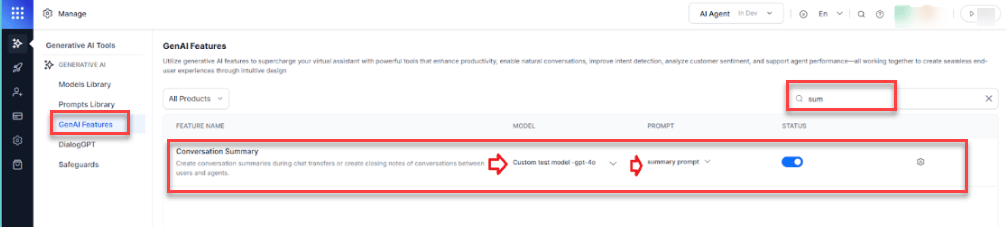
2. Go to **Agent AI** > **Generative AI Tools** > **GenAI Features**.
3. Search for `conversation summary` in the search box.
4. Select your model and prompt from the **MODEL** and **PROMPT** dropdowns.
***
## Select the Custom Model
1. Sign in to **AI for Service**.
2. Go to **Agent AI** > **Generative AI Tools** > **GenAI Features**.
3. Search for `conversation summary` in the search box.
4. Select your model and prompt from the **MODEL** and **PROMPT** dropdowns.
 ***
***